by ITS
GoldTag
Know what is in your shop, what you are owed, and what you owe, at any moment.
01
Overview
GoldTag does not change how you work; it keeps it in order.
GoldTag is complete software for jewelers that brings all of the shop’s work into one place: inventory, sales and purchases, the cash box in every currency, balances in money and in gold, and profits. Every gram and every dollar is accounted for and recorded, so every weight and every debt is easy to track.
- Runs on the shop computer without internet, so sales do not stop if the connection drops
- Your data is on your shop’s computer, encrypted, with an automatic backup every day
- Arabic interface with gold-market terms: karat, scrap, owed to us, and owed by us
- Works with a barcode reader, a label printer, and an invoice printer
Product details
- Platforms
- Windows and macOS
- Deployment
- On the shop computer, without internet
- Trial period
- 15 days free, with installation and training
02
Who it is for
- Owners of gold and jewelry shops (jewelers)
- The shop team handling sales, stock counts, and the cash box
03
Features
Label and barcode inventory
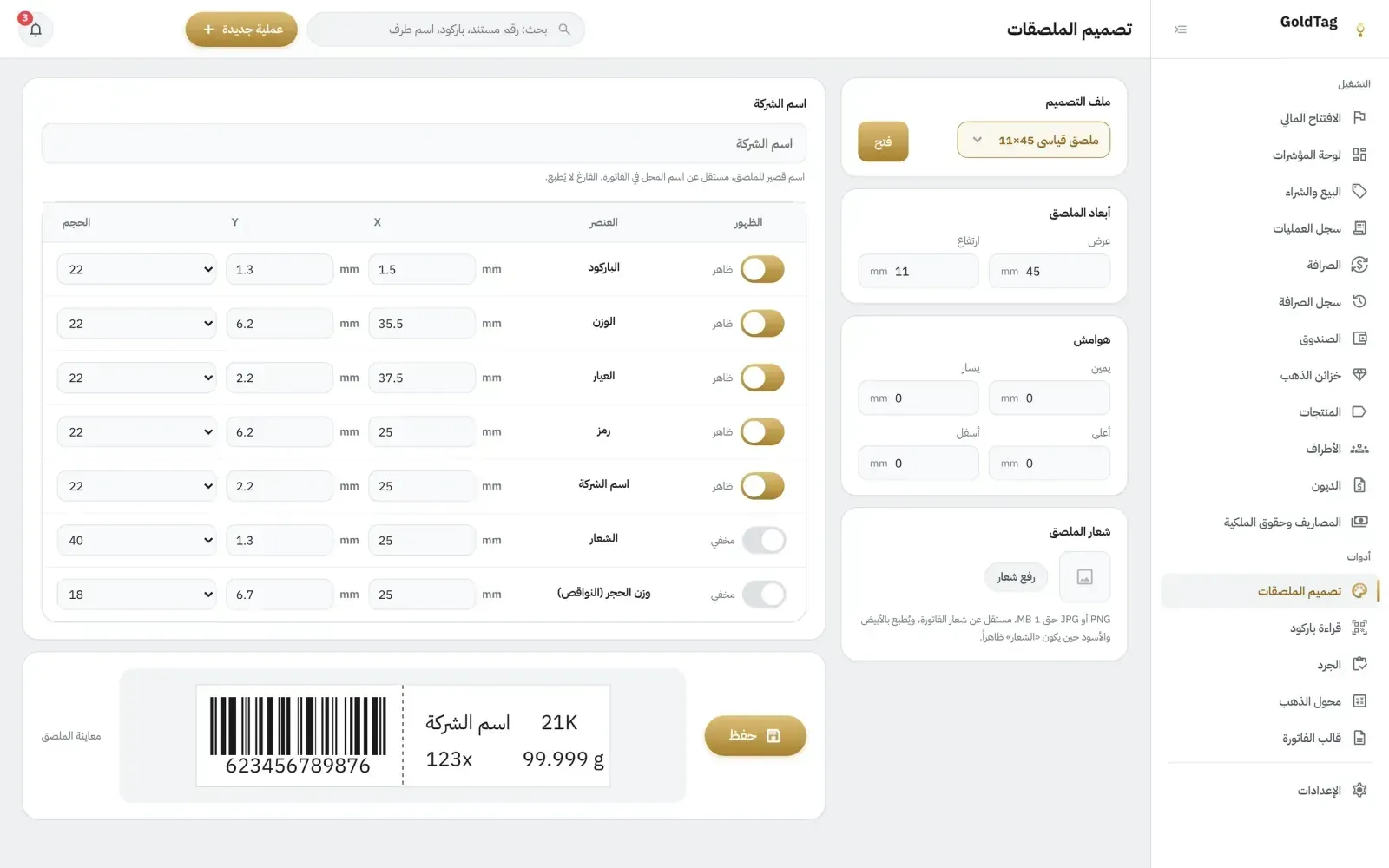
You register a piece once, and its label is printed with the barcode, weight, and karat; from then on, it is sold by scanning the label.
Stock counts by barcode
You scan the pieces with a barcode reader, the software shows what is missing and what is extra, and the result is approved with a security code.
Sales and purchases
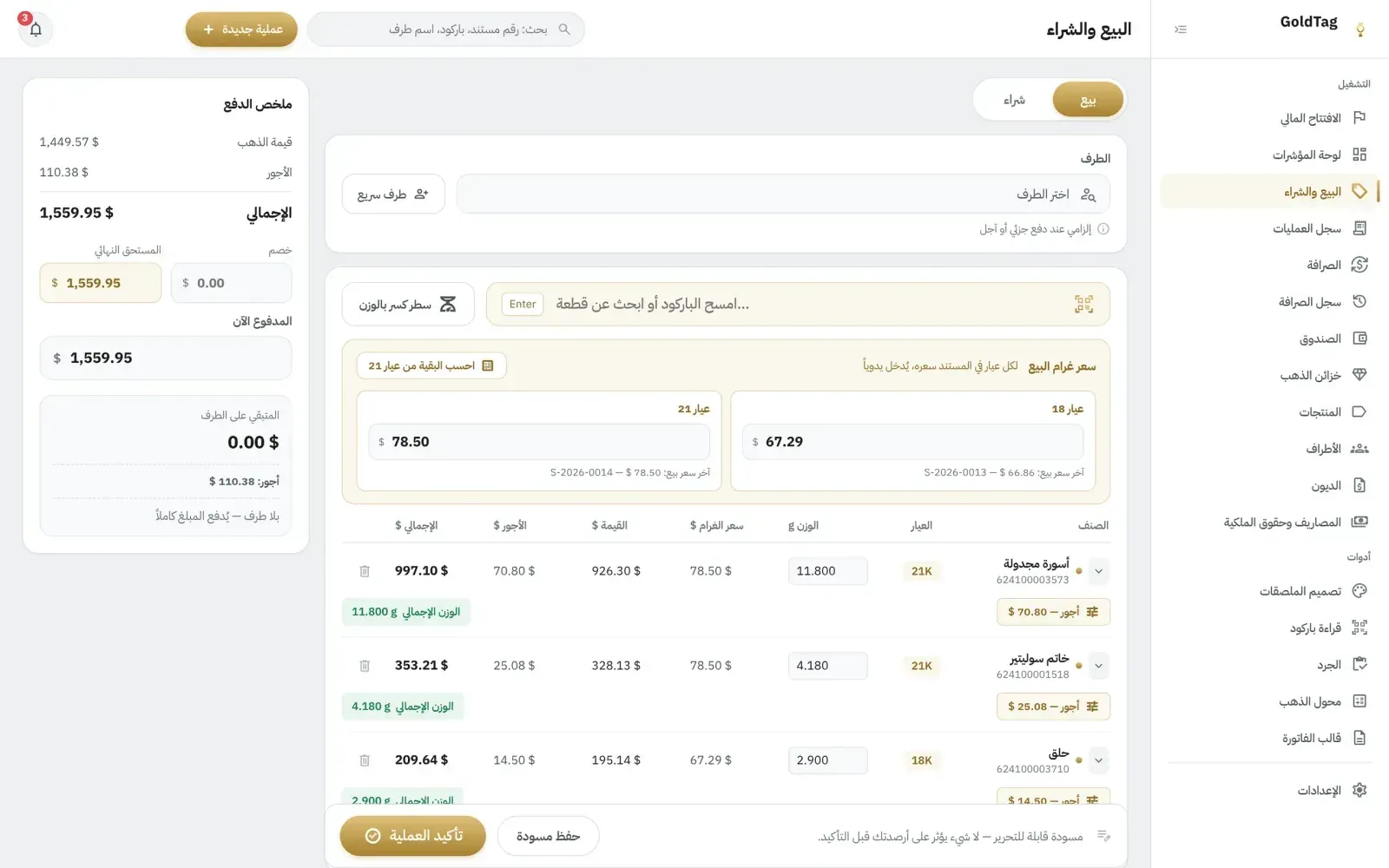
A sales invoice calculated line by line (gold value by karat, making charges, and discount), and scrap gold bought from customers with its deductions.
Gold vaults by karat
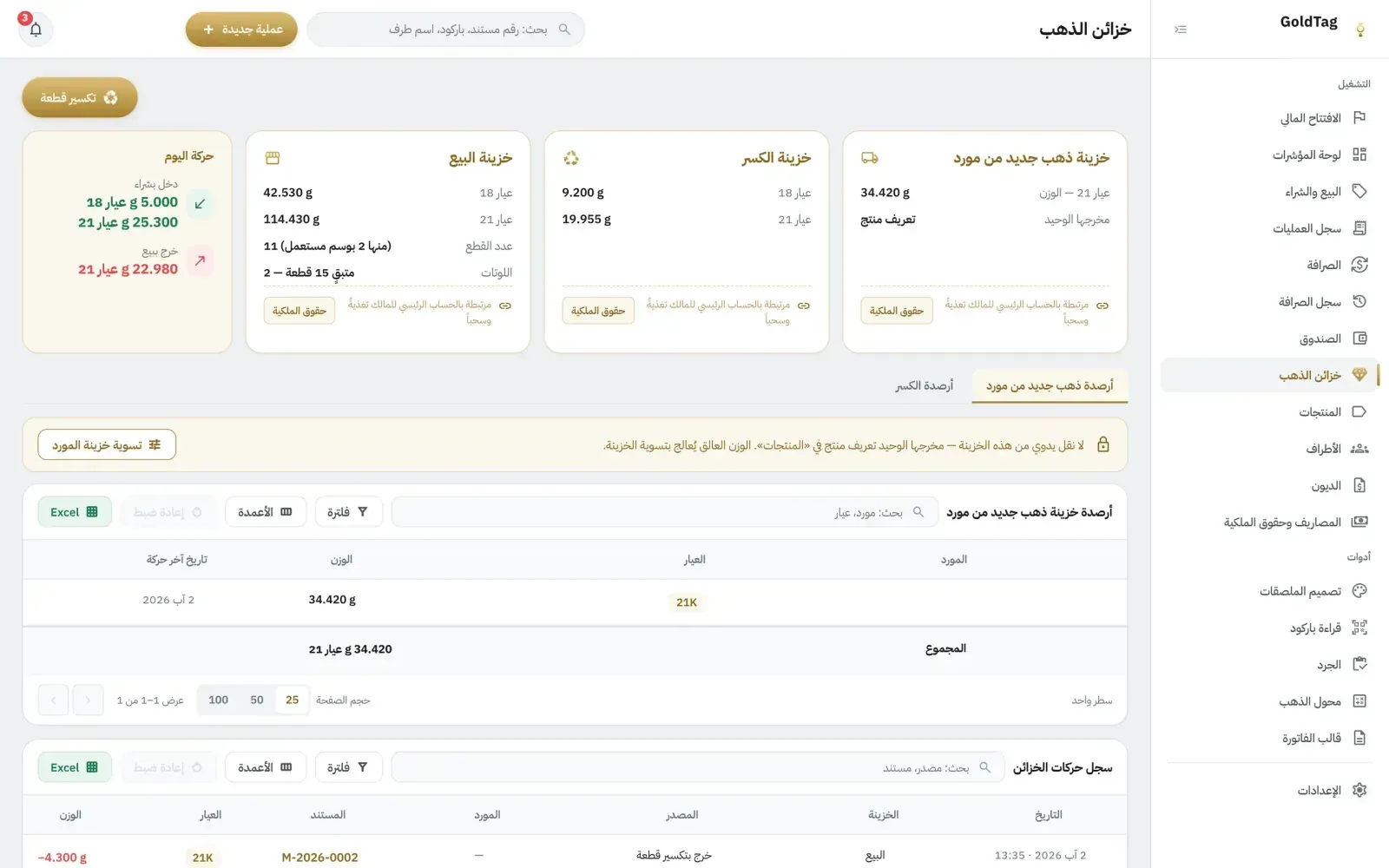
The gold balance in each vault is kept separately for each karat, at its actual weight, with no conversion or estimation.
Supplier purchases
New gold from a supplier stays in its own vault until you register it as pieces, along with the gold and making charges you owe the supplier.
Cash box and currency exchange
The cash box in dollars and in every currency you deal in, each with its own balance, and currency exchanges recorded in their own log.
Customers, suppliers, and debts
A statement of account for every customer and supplier, with two balances that do not mix: in money, and in gold for each karat, owed to us or by us.
Expenses and partners’ equity
Shop expenses by category, and each partner’s equity in the capital based on what they deposited and withdrew, in money and in gold.
Dashboard
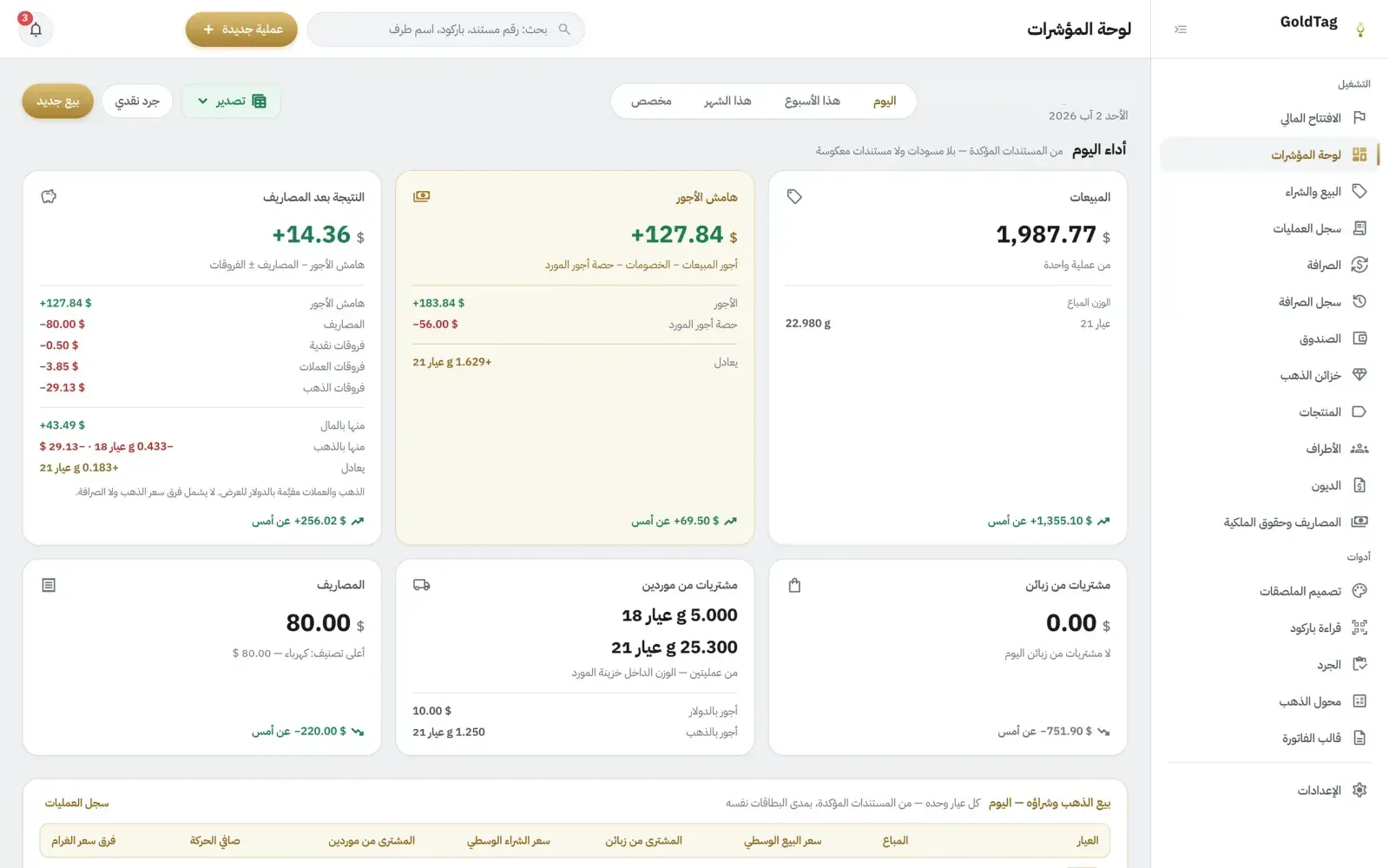
Sales, the margin on making charges, and the result after expenses for any period; the cash box, gold, and balances as they stand now.
Records that cannot be edited
A confirmed transaction cannot be edited or deleted. A mistake is corrected with a reversing transaction, and both stay in the record.
Gold and karat converter
Converts weights between karats by fineness, and gives the price per gram of any karat from the price of one karat you enter.
Protection and backups
Sensitive operations need a security code and a reason recorded with them, and the data is encrypted, with an automatic backup every day.
04
From the product
05
Common questions
Does GoldTag need an internet connection?
Not for daily work: selling, buying, currency exchange, and stock counts run on the shop computer without a connection, so work doesn’t stop if it drops. A connection is needed only for specific services, such as password recovery and managing the subscription.
What does it run on, and what else is needed?
On the shop computer, Windows or macOS, with a barcode reader, a label printer, and an invoice printer connected to it. We install the software in your shop.
Where is my data stored, and who owns it?
Your data is stored on your shop’s computer, not on external servers. It belongs to you, it is encrypted, and it is backed up automatically every day.
Can a confirmed transaction be edited?
A confirmed transaction cannot be edited or deleted, to keep the records accurate. A mistake is corrected with a reversing transaction that cancels its effect, and both stay in the record.
Is there a trial period?
Yes, 15 days free: we install the software in your shop and train you on it.
How do I request a GoldTag demo?
From the GoldTag site: open the contact section at goldtag-app.netlify.app and request a demo in your shop.
Need a system that fits how you work?
If a ready-made product does not cover your needs, we analyze your processes and business rules, then design a custom system for them and build it in stages.